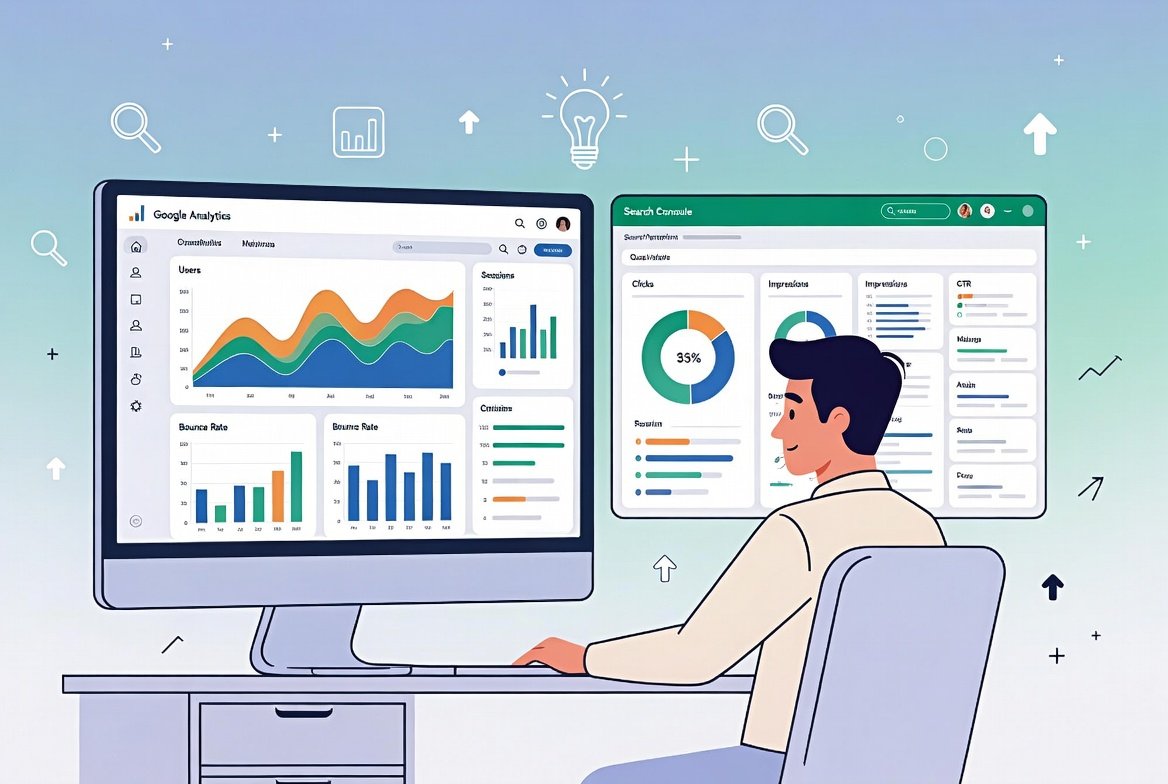
How to find not provided keywords in Google Analytics has become one of the most common questions among website owners, bloggers, and digital enthusiasts who want to understand their organic traffic better. In simple terms, "not provided" refers to the placeholder Google displays in Google Analytics reports for most organic search queries. This happens because Google encrypts search data to protect user privacy, replacing the actual search terms people typed with "(not provided)." As a result, you see a large chunk of your traffic labeled this way instead of revealing the helpful keywords that drove visitors to your site. This change started years ago and continues in Google Analytics 4 (GA4), making direct keyword visibility limited but not impossible to work around through smart, ethical methods.
If you've ever checked your Acquisition reports and felt frustrated by seeing "(not provided)" dominating your organic search data, you're not alone. Many people building honest, value-driven websites face this challenge daily. The good news is that with the right approach, you can still gain meaningful insights into what people are searching for, how they find your content, and how to improve your site to serve them better. This guide will walk you through everything in a clear, step-by-step manner, helping you turn this limitation into an opportunity for growth while keeping your efforts focused on providing genuine benefit to your audience.
Understanding Why "Not Provided" Appears in Google Analytics
To effectively tackle the issue, it's important to first understand its roots. Google introduced encrypted search (HTTPS) to safeguard user information. When someone searches while signed into their Google account or through secure connections, the referring data no longer passes the exact keyword to analytics tools. This privacy-first policy expanded over time, and today, the vast majority of organic traffic in Google Analytics appears as "not provided."
This shift encourages website owners to focus more on user experience, quality content, and overall site performance rather than obsessing over individual keywords. It aligns well with creating wholesome, helpful resources that truly serve readers—whether you're sharing educational articles, faith-inspired stories, family-friendly tips, or community-building content.
In GA4, the situation is similar to previous versions. You won't see exact organic keywords directly in the standard traffic acquisition reports. Instead, reports often show aggregated or limited data. However, this doesn't mean you're completely in the dark. By combining tools and analyzing patterns, you can uncover valuable clues about search behavior.
The Impact on Your Website's SEO Strategy
When a big portion of your traffic shows as "not provided," it can feel like flying blind. You might wonder which topics are resonating most or what questions your visitors are trying to answer. This limitation pushes us toward a more holistic SEO approach—one centered on understanding audience needs, creating engaging content, and measuring success through meaningful metrics like time on page, bounce rates, and conversions (such as newsletter sign-ups or contact form submissions for positive causes).
Embracing this encourages ethical practices that prioritize long-term value over short-term tricks. It reminds us that true success comes from building trust and delivering content that enriches lives, much like sharing knowledge that promotes learning, community, and personal growth.
Preparing Your Google Analytics and Related Tools
Before diving into specific methods, ensure your setup is optimized. Start by verifying that Google Analytics 4 is properly installed on your website. If you're still using an older version, migrating to GA4 is essential for accurate, future-proof reporting.
Next, create or access your Google Search Console account. This free tool from Google provides direct visibility into the search queries that trigger your site in search results. Linking it with Google Analytics is one of the most powerful steps you can take.
Step-by-Step Guide to Linking Google Search Console with GA4
- Log into your Google Analytics 4 property.
- Navigate to the Admin section (usually at the bottom left).
- Under Product Links, find and click on Search Console Links.
- Select the option to link a new Search Console property.
- Choose the correct website property you manage in Search Console.
- Select the appropriate web data stream and confirm the link.
Once linked, you may need to enable the Search Console reports in your GA4 Reports Library if they don't appear immediately. This integration brings query data directly into your analytics environment, giving you a clearer picture without relying solely on the "not provided" label.
This connection is a game-changer because it bridges pre-click search data (from Search Console) with post-click behavior (from Analytics). You can then analyze which queries lead to valuable user actions on your site.
Primary Method: Using Google Search Console to Uncover Search Queries
Google Search Console serves as your most reliable ally when learning how to find not provided keywords in Google Analytics. While it doesn't feed every single keyword back into Analytics, it shows the actual search terms (queries) that people used to discover your pages.
Accessing the Performance Report in Search Console
- Log into Search Console and select your property.
- Go to the Performance section (also called Search Results).
- Here, you'll see tabs for Queries, Pages, Countries, Devices, and more.
- In the Queries report, you'll find a list of search terms, along with metrics like impressions, clicks, click-through rate (CTR), and average position.
Filter the data by date range to match your Analytics reports. Sort by clicks or impressions to identify high-performing queries. This data helps you understand real user intent—what words and phrases are genuinely driving interest in your content.
Pay special attention to queries with high impressions but low clicks. These represent opportunities to optimize your titles, meta descriptions, or content to better match what people are seeking.
Integrating Query Data Back into Analytics Insights
After linking, look for the Google organic search queries report or similar Search Console collections in GA4 under Acquisition or Reports. This brings some query-level data closer to your behavioral metrics, allowing you to correlate searches with on-site engagement.
For example, if a certain query brings traffic that spends more time reading your educational posts, you know that topic area deserves more focus and expansion.
Analyzing Landing Pages to Infer Keywords
Since direct keywords are often hidden, turn your attention to landing pages that receive the most organic traffic. This indirect approach is highly effective and fully ethical.
In Google Analytics 4:
- Go to Reports > Acquisition > Traffic Acquisition.
- Filter or segment for organic search traffic.
- Then, switch the primary dimension to Landing Page or use secondary dimensions.
Identify top-performing landing pages from organic sources. For each strong page, ask yourself: What topics does this page cover? What questions does it answer? What related terms might people have searched?
Cross-reference these pages with your Search Console data. If a page ranks well for certain queries in Search Console and drives traffic in Analytics, you can reasonably infer that similar or long-tail variations are at play.
This method encourages deeper content planning. Instead of chasing exact matches, you build comprehensive resources around core themes—something that benefits readers seeking reliable, uplifting information.
Creating Content Clusters Around Inferred Topics
Group your high-performing pages into content clusters. For instance, if several pages about family values or educational tips perform well, create pillar content and supporting articles. This strengthens your site's topical authority and naturally attracts more relevant traffic over time.
Use tools like Google’s own keyword suggestions or free planners to expand on these themes without over-relying on volume metrics.
Advanced Techniques for Deeper Insights
Beyond the basics, several practical techniques can help you piece together a fuller picture.
Using Secondary Dimensions and Filters in GA4
In your organic traffic reports, add secondary dimensions such as:
- Landing Page + Query String
- Page Title
- Session Source/Medium combined with behavior metrics
Filter out branded versus non-branded traffic where possible to separate navigational searches from discovery ones.
Look at user behavior on "not provided" sessions: Do they explore more pages? Do they engage with specific sections? These patterns reveal intent even without exact terms.
Monitoring Trends Over Time
Compare data across months or seasons. Notice which content types gain traction during certain periods. This temporal analysis helps you plan content calendars that align with audience needs, such as inspirational reads during reflective times or practical guides for everyday improvement.
Combining with On-Site Search Data
If your website has an internal search function, analyze what visitors type once they arrive. This internal query data often mirrors the external searches that brought them there, providing another layer of insight.
Best Practices for SEO in a "Not Provided" World
Adapting to limited keyword visibility means shifting toward user-centric SEO. Focus on:
- High-quality, original content that answers real questions thoroughly and helpfully.
- Natural language and readability so both people and search engines appreciate your work.
- Mobile-friendly design and fast loading times, as these influence rankings and user satisfaction.
- Structured data where appropriate to help search engines understand your content better.
- Regular updates to keep information fresh and relevant.
Remember, the goal isn't just traffic—it's creating a positive experience that encourages return visits and shares within wholesome communities.
Leveraging Related Keywords Naturally
Throughout your content strategy, incorporate variations and related terms organically. Phrases like "organic search traffic insights," "GA4 query reports," "understanding search console data," and "SEO landing page analysis" help search engines connect your pages to user needs without forcing keywords.
This approach builds a rich semantic network around your topics, improving visibility for long-tail searches that often convert into engaged readers.
Common Challenges and How to Overcome Them
Many face hurdles like low query volume in Search Console (it shows only a sample) or difficulty matching data between tools. The solution lies in consistency: Regularly review both platforms, export data when needed for side-by-side comparison, and focus on trends rather than single data points.
Another challenge is the temptation to use paid tools promising full keyword recovery. While some third-party options exist that attempt to match patterns using machine learning, always prioritize free, official Google tools first for reliability and compliance. Stick to methods that respect privacy and focus on value creation.
For deeper reading on search data handling, you can explore the Search Console documentation on Wikipedia, which provides an overview of this essential platform.
Explore more strategies by checking our guide on organic traffic optimization available on the site. You might also enjoy our article on building effective content strategies to complement your analytics efforts.
Measuring Success Beyond Keywords
In today's environment, success metrics should include:
- Increased average session duration on key pages
- Higher pages per session for organic visitors
- Better engagement rates on educational or inspirational content
- Growth in direct or branded traffic as your audience remembers and returns
- Positive feedback through comments or shares
These indicators show you're truly connecting with readers who value your contributions.
Track conversions aligned with positive goals—such as sign-ups for newsletters sharing beneficial knowledge or downloads of free wholesome resources.
Long-Term Mindset for Sustainable Growth
Learning how to find not provided keywords in Google Analytics is just the beginning. The real power comes from using those insights to serve your audience better. By focusing on quality, relevance, and genuine helpfulness, your site can grow steadily while maintaining integrity.
This privacy-focused era from Google actually levels the playing field. It rewards those who create authentic content rather than those who manipulate data. Embrace it as an invitation to deepen your understanding of your readers' needs and aspirations.
Stay patient and consistent. SEO is a journey of continuous learning and refinement. Celebrate small wins, like seeing a particular topic gain traction or noticing improved engagement on pages you've thoughtfully optimized.